
Room and desktop capture
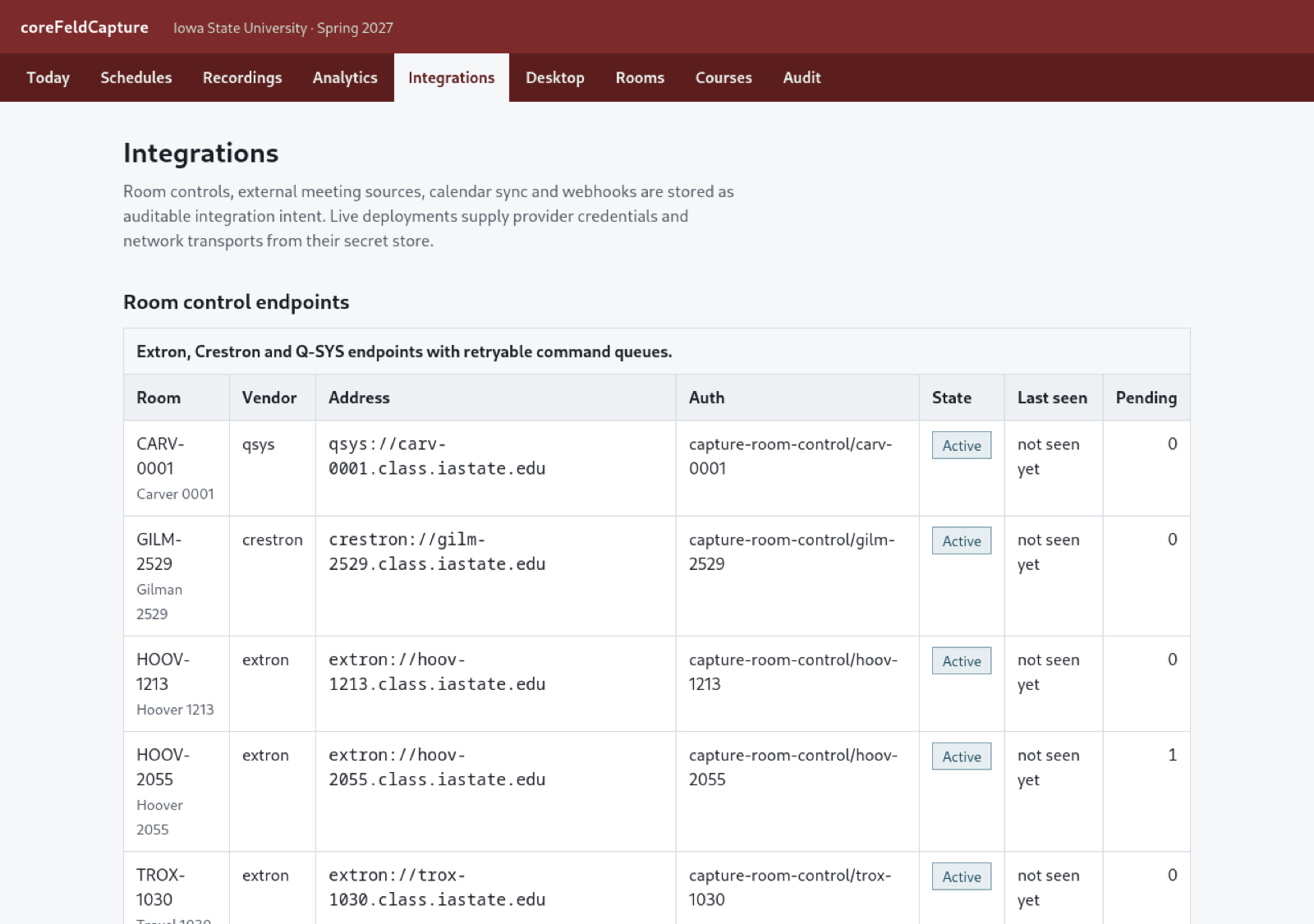
Standard room ingest and Windows or macOS desktop clients support scheduled classes, ad-hoc sessions, offline chunks, and recovery after interruptions.
Built for universities
From classroom signals to an accessible recording inside the course students already use.
Schedule rooms or record ad hoc, synchronize multiple content and camera sources, publish through Canvas, manage captions and transcripts, and understand viewing without handing institutional media to an opaque platform.
Capture that survives the classroom
CoreFeld Capture treats recording as durable work rather than one fragile live request. Completed sources stay completed across retries, synchronization is explicit, and the lifecycle remains visible from the scheduled class through publication.
Standard room ingest and Windows or macOS desktop clients support scheduled classes, ad-hoc sessions, offline chunks, and recovery after interruptions.
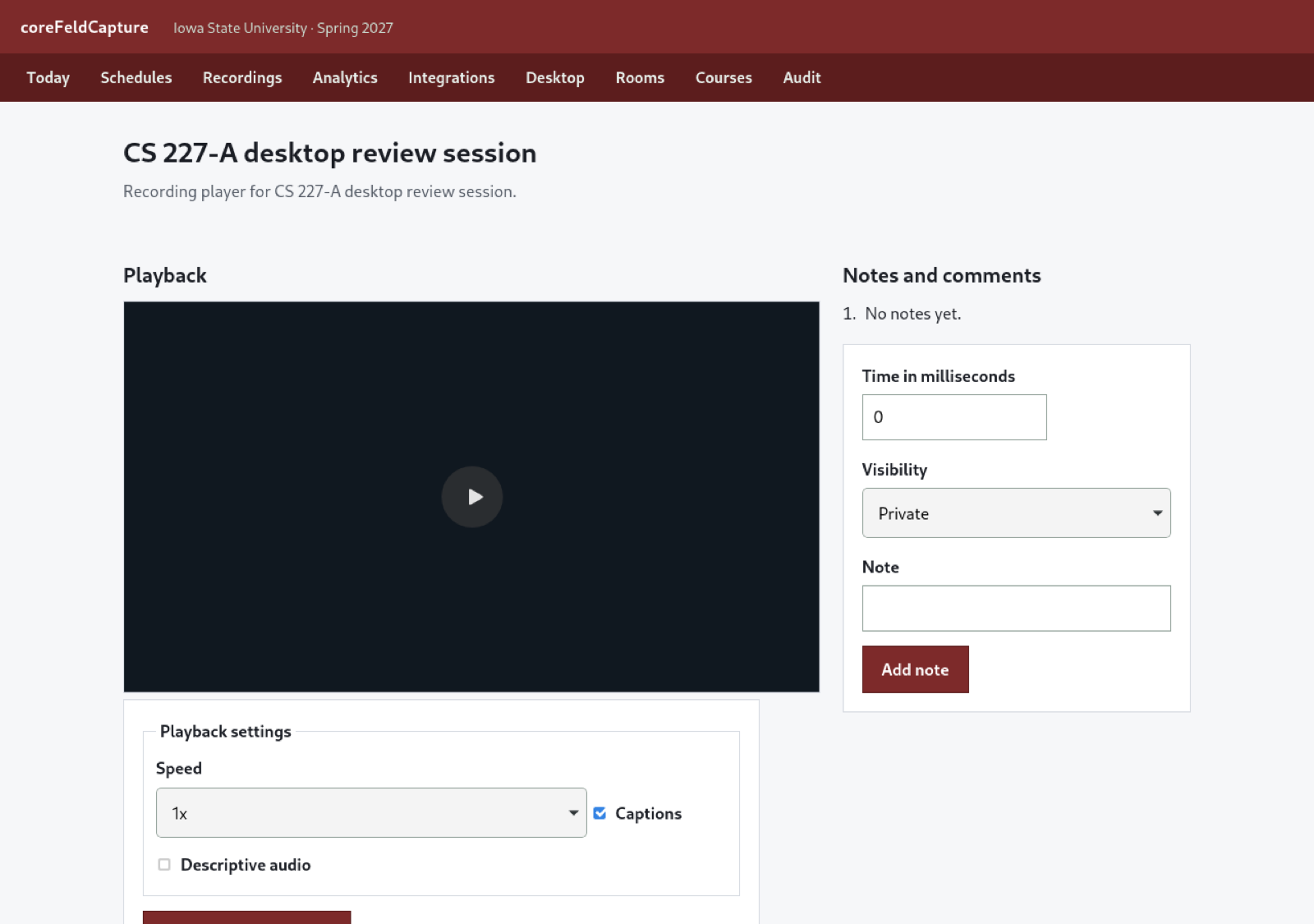
Students switch among synchronized camera and content signals without losing their place, with speed controls, captions, descriptive audio, and source-failure recovery.
Trim and overlay decisions change the active timeline without altering the original source recordings, preserving both the source and the edit history.
Operational evidence
Canvas-native workflow
Course schedules create capture occurrences for equipped rooms, while instructors can begin an ad-hoc or desktop recording when the work calls for it.
Sources are synchronized, protected in institution-owned storage, captioned, reviewed, and prepared for the course without exposing raw media locations.
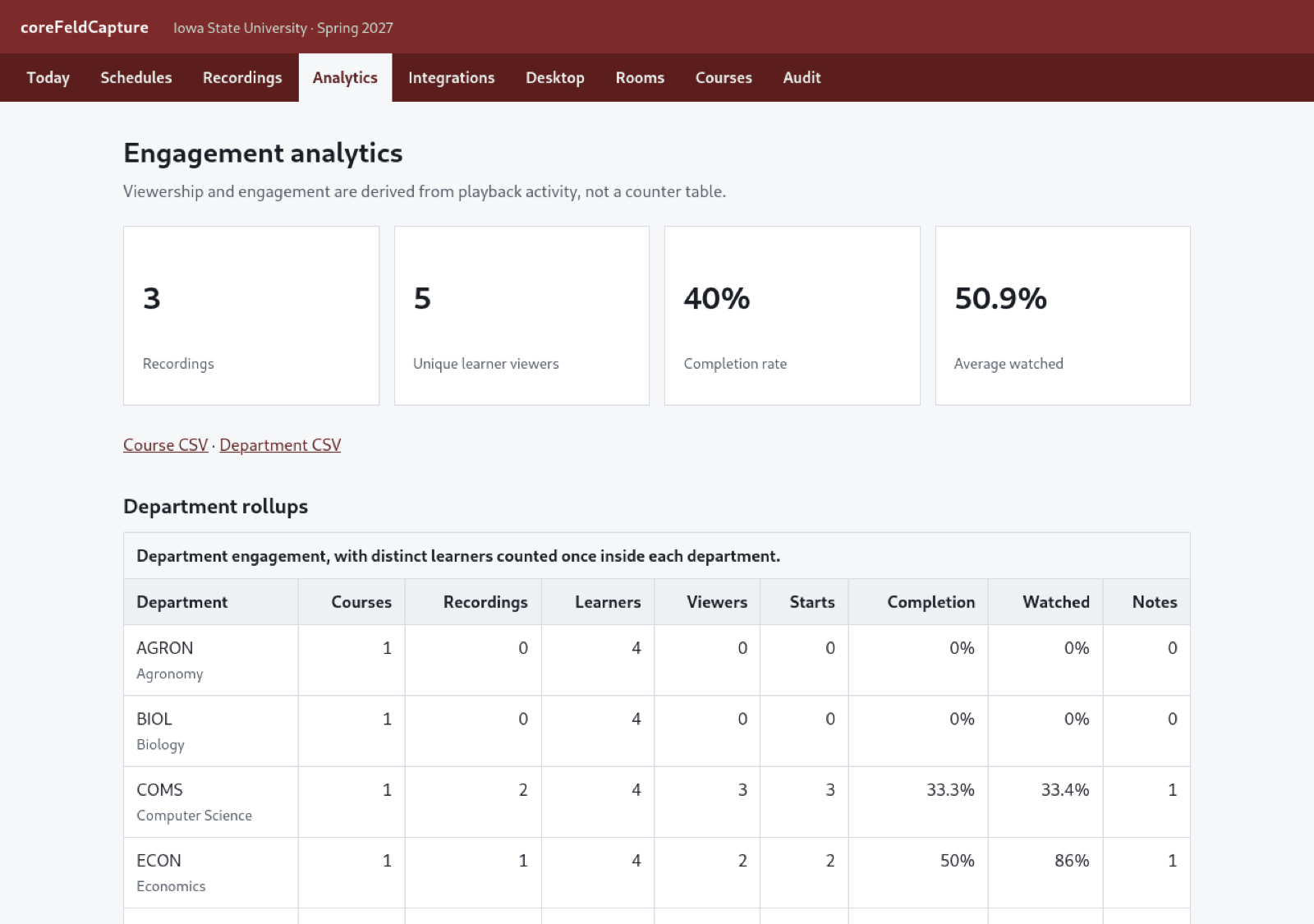
Canvas deep links open the authorized player. Viewing milestones, completions, notes, and drop-off points roll up by recording, course, and department.
Institution-owned by default
Institution-owned storage. Protected playback resolves media from the customer’s object storage through short-lived, permission-checked URLs.
Canvas is the product surface. LTI 1.3 authentication, roster sync, deep linking, and Assignment and Grade Services use the course context already in place.
Accessible media workflow. Captions, editable transcripts, speaker labels, descriptive audio, keyboard operation, and semantic server-rendered pages are part of the product.
Migration without broken links. Panopto and Echo360 import paths preserve source metadata and map established recording links to their new destinations.
CoreFeld can demonstrate capture, processing, Canvas launch, captions, the player, editing, retention, and engagement reporting as one connected system.